Pay-as-you-go Billing
Manage your prepaid credit balance, purchase credits, and configure auto-recharge.
Pay-as-you-go Billing
Pay-as-you-go (PAYG) accounts use a prepaid credit balance. Each call deducts from your balance based on the call duration. You can purchase additional credits at any time and set up automatic recharging.
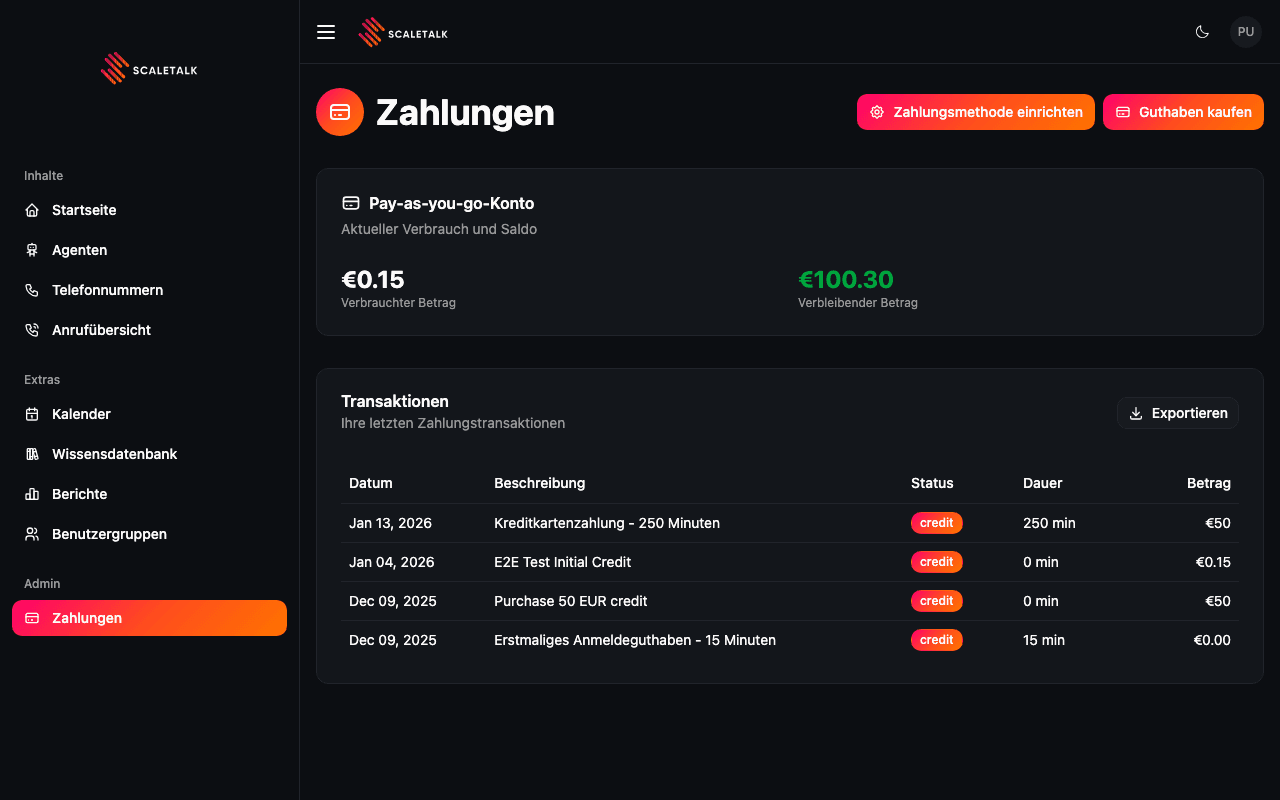
Credit Balance
The main card displays your current account status:
| Metric | Description |
|---|---|
| Verbrauchter Betrag (Amount Used) | Total credits consumed from your balance |
| Verbleibender Betrag (Amount Remaining) | Current available credit balance, shown in green |
Your balance decreases as calls are made. When the balance reaches zero, calls will no longer be processed until you add more credits.
Purchasing Credits
Click the Guthaben kaufen (Purchase Credit) button in the top-right corner to add credits to your account.
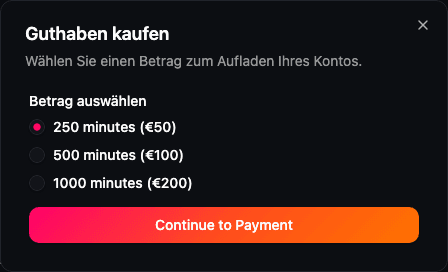
Available Credit Packages
Select from the predefined credit packages:
| Package | Minutes | Price |
|---|---|---|
| 250 minutes | 250 min | EUR 50 |
| 500 minutes | 500 min | EUR 100 |
| 1000 minutes | 1000 min | EUR 200 |
After selecting a package, click Continue to Payment to proceed to the Stripe checkout form where you enter your payment details.
Instant Credit
Credits are added to your account immediately after successful payment. You can start making calls right away.
Auto-Recharge
To avoid service interruptions, you can configure automatic recharging. Click the Zahlungsmethode einrichten (Set Up Payment Method) button to access the auto-recharge settings.
How Auto-Recharge Works
When enabled, auto-recharge automatically purchases credits when your balance runs low:
| Setting | Value |
|---|---|
| Minutes per recharge | 250 minutes |
| Rate per minute | EUR 0.20 |
| Total cost per recharge | EUR 50.00 |
Setting Up Auto-Recharge
- Open the auto-recharge settings
- Add a payment method (credit card via Stripe)
- Enable the Auto-Recharge toggle
- Click Save Settings
Payment Method Required
You must add a payment method before enabling auto-recharge. The toggle is disabled until a valid card is on file.
Managing Your Payment Method
From the auto-recharge settings you can:
- Add a payment method -- Securely add a credit card via Stripe
- Change your card -- Replace the current payment method with a new one
- Remove your card -- Detach the payment method (this also disables auto-recharge)