Payments & billing
Pick a plan, keep an eye on usage, set up a payment method and auto-recharge.
Billing in the sidebar opens the Payments page. That is where you manage your plan, watch your minute usage, store a payment method and set up automatic top-ups.
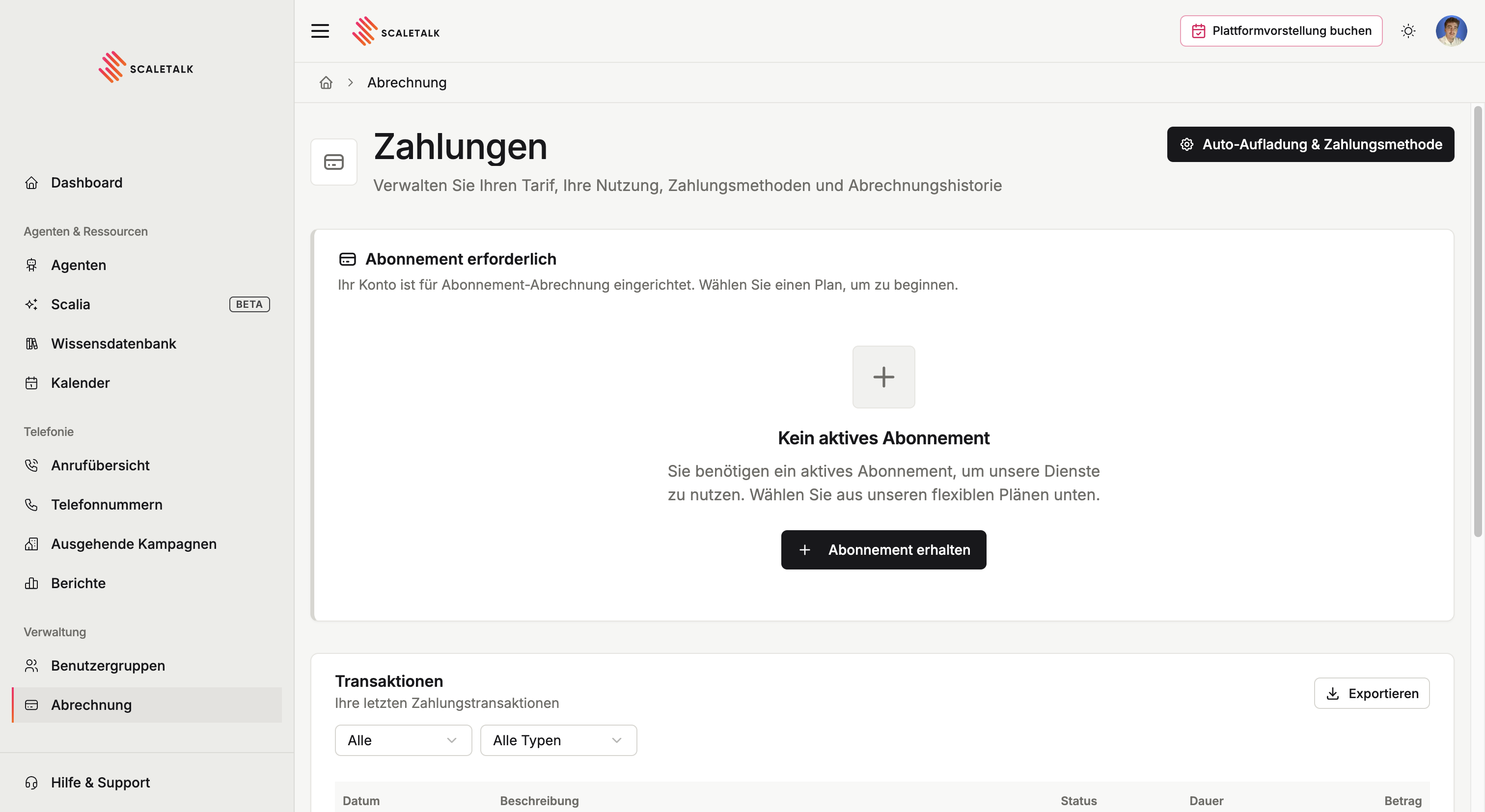
Without a subscription it reads No active subscription. Get a subscription opens the plan picker.
Subscription plans
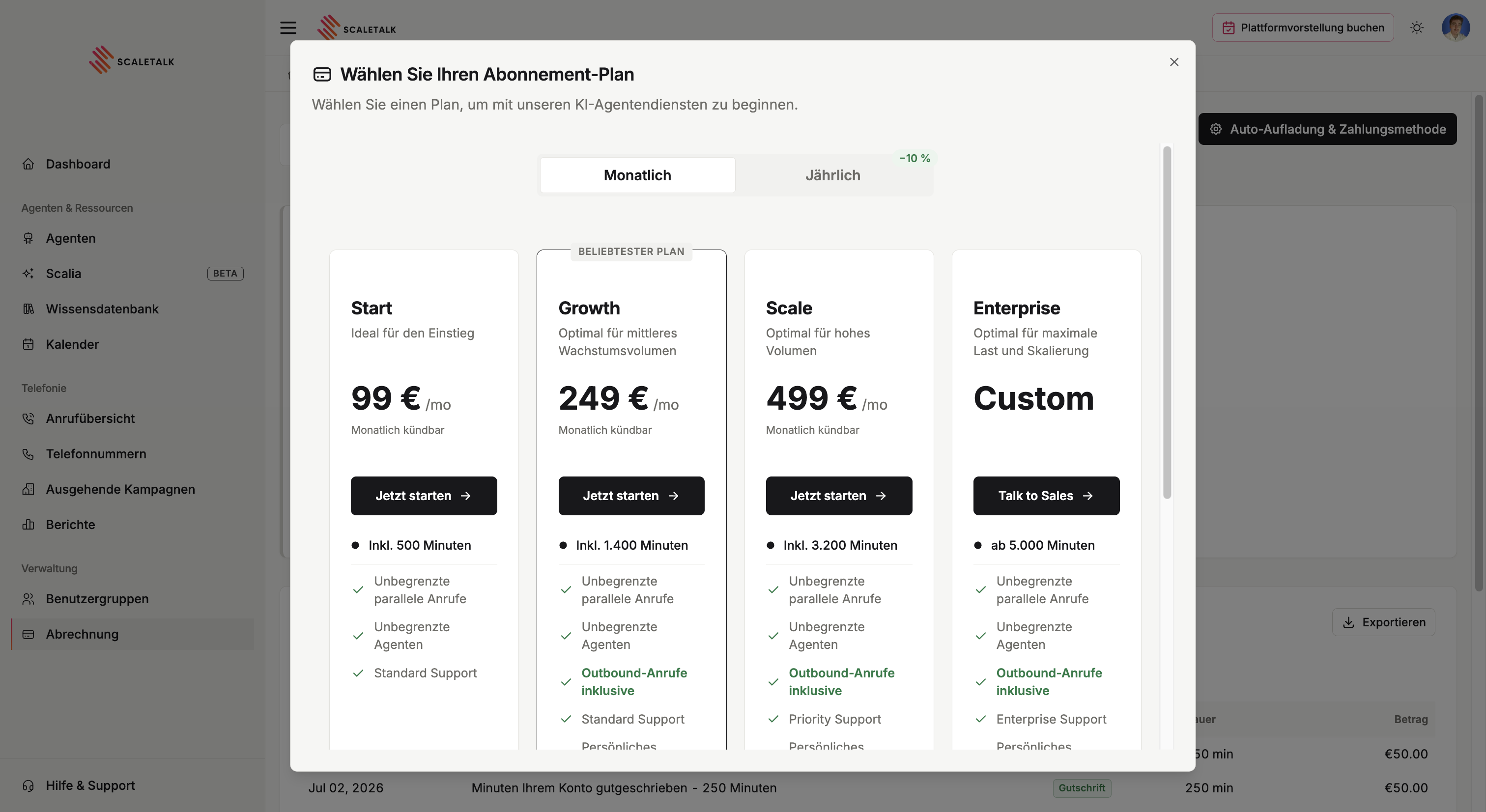
Four plans, all cancellable monthly:
| Plan | Price | Minutes included | For |
|---|---|---|---|
| Start | €99/month | 500 minutes | Getting started |
| Growth | €249/month | 1,400 minutes | Medium growth volume |
| Scale | €499/month | 3,200 minutes | High volume |
| Enterprise | custom | from 5,000 minutes | Maximum load and scale |
Growth is marked as the most popular plan.
What every plan includes
Two things come with all plans and are often mistaken for paid extras:
- Unlimited concurrent calls — your agent can hold any number of conversations at once. There is no line limit for callers to queue behind.
- Unlimited agents — you pay for talk minutes, not for the number of agents. Creating one agent per location, department or use case costs nothing extra.
Two things do differ:
| Start | Growth | Scale | Enterprise | |
|---|---|---|---|---|
| Outbound calls | — | included | included | included |
| Support | Standard | Standard | Priority | Enterprise |
Outbound campaigns need Growth or higher
On the Start plan the campaigns page shows a pointer to the plans instead of your campaigns. If you want leads called automatically, Growth is the floor.
Annual instead of monthly
At the top of the picker you switch between Monthly and Annual. Annual costs 10 % less and is billed once for the whole year. The exact annual figure appears in the dialog when you switch.
Enterprise
Need more than 5,000 minutes or your own terms? That route goes through Talk to Sales rather than self-service.
Talk it through
Book a call → — Talk to our team about custom pricing, larger minute allowances and dedicated support.
Automatic renewal
All subscriptions renew automatically and are billed through Stripe. You can cancel at any time; the subscription then runs to the end of the current billing period.
Active subscription
With a running subscription the page leads with Current subscription and its status, the plan name with its price, and usage for the current billing period.
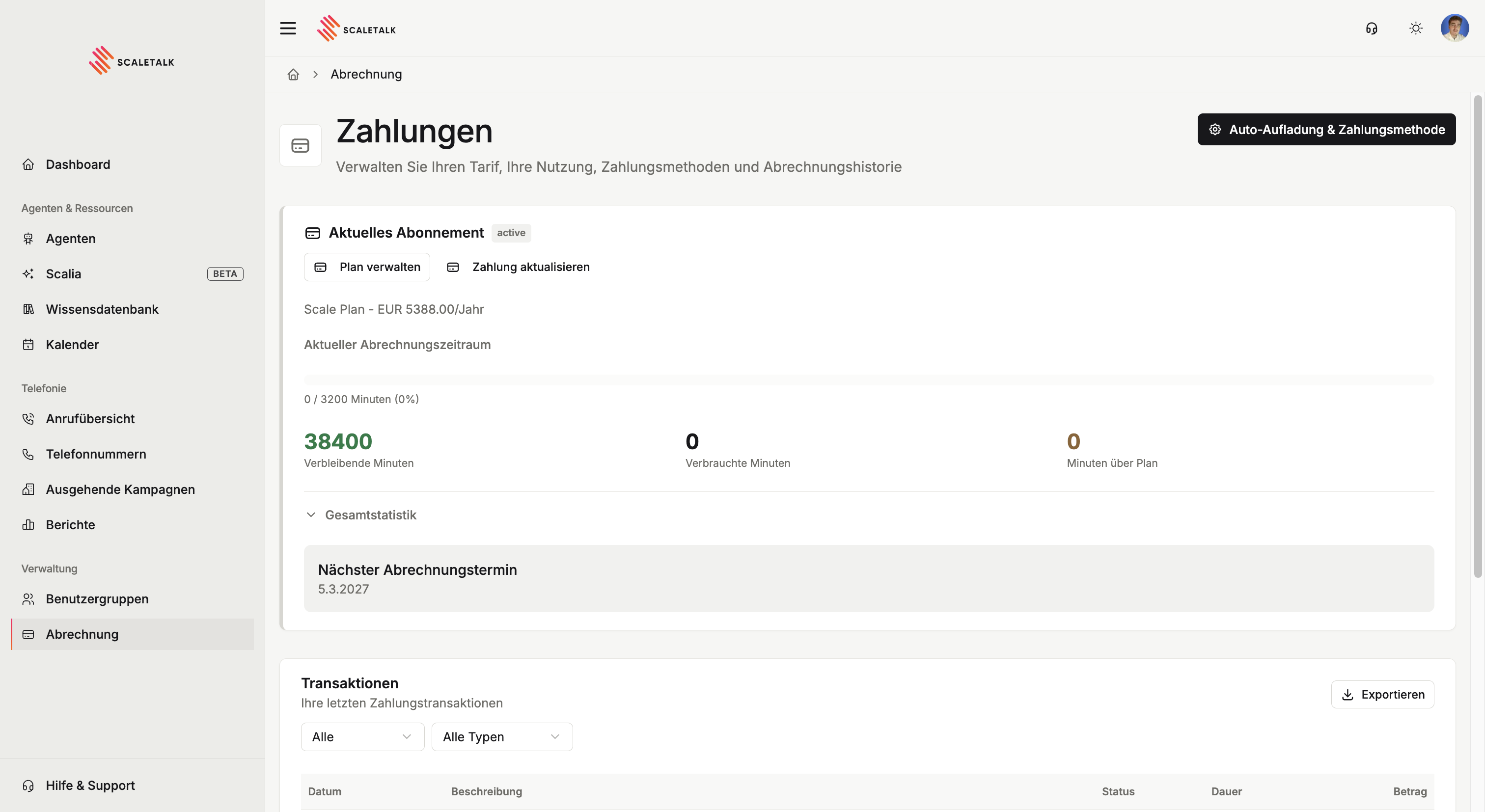
| Figure | Meaning |
|---|---|
| Remaining minutes | What is left on the account in total |
| Minutes used | What has been used in the current billing period |
| Minutes over plan | Usage above the allowance — billed on top |
| Next billing date | When the next amount is due |
The progress bar above shows usage against the period's allowance. Overall statistics expands the figures across all periods.
Two buttons take you further: Manage plan switches or cancels the subscription, Update payment changes the stored payment method.
Remaining and used are not the same pot
On an annual plan the whole year's allowance sits on the account, while the progress bar shows the current billing period. That is why it can read 38,400 remaining minutes with a bar that tops out at 3,200.
Transactions
Transactions lists every movement on your minute account, with date, description, status, duration and amount. A top-up appears here as a credit of 250 minutes, for example.
The two dropdowns filter by status and type; Export downloads the list.
Invoices
Separately, Invoices holds your Stripe receipts: date, invoice number, description, status and amount.
Each row offers two actions — View opens the invoice at Stripe, Download PDF saves the receipt locally.
Transactions or invoices
The two lists answer different questions. Transactions show how your minute balance developed. Invoices are the accounting records for your files. For your accountant you want the PDFs from Invoices.
Payment method and auto-recharge
Both sit behind the Auto-recharge & payment method button at the top right of the payments page.
Payment method
ScaleTalk uses Stripe as its payment provider. You can store:
- Credit or debit card — Visa, Mastercard and others
- SEPA direct debit — collected straight from a bank account
Nothing works without a payment method
You need a stored payment method to take out a subscription or to buy a phone number.
Auto-recharge
Auto-recharge stops you running out of minutes mid-operation. Once the allowance is spent, 250 minutes for €50 are added automatically.
- Store a payment method
- Open Auto-recharge & payment method
- Switch automatic recharging on
- Save settings
| Setting | Value |
|---|---|
| Minutes per recharge | 250 minutes |
| Cost per recharge | EUR 50.00 |
| Trigger | Automatic, as soon as the allowance is spent |
Particularly important for campaigns
An outbound campaign pauses automatically when the balance runs dry — mid-list. With auto-recharge on, it runs through.