Outbound campaigns
Upload a contact list and have an agent work through it by phone.
In an outbound campaign the agent does not wait for calls — it places them. You upload a contact list, pick the agent, set when dialing is allowed, and the platform works through the list.
Growth plan and above
Outbound campaigns are part of the Growth plan and higher. On smaller plans the page shows a notice linking to the plans instead.
Prerequisites
Outbound calling has one hurdle inbound does not: the number has to be legally yours. Whoever calls asserts the identity behind that number, which is why a number rented from ScaleTalk will not do.
A number cleared for outbound
A number may dial out if one of two things is true:
- It is your own number, imported over BYO SIP or from your own Twilio account.
- It was bought through your own approved regulatory bundle — a local number with your area code.
The quick-purchase shared number runs on ScaleTalk's bundle. It can receive calls, but it may not dial out in your name.
Complete a regulatory bundle
For a German local number the Bundesnetzagentur requires proof of who stands behind it. Under Regulatory compliance you upload your business registration or equivalent proof (PDF, JPEG or PNG, up to 5 MB each) and enter the authorised representative.
The bundle moves through: Draft → Submitted → In review → Approved. On rejection you see the reason and can resubmit. You are emailed either way.
The area code has to match the address
Once approved, the number search is scoped to the area code of the address on file — a Nuremberg address gets 0911 numbers. That is a carrier requirement, not a ScaleTalk one.
Assign the number to the agent
The number has to be assigned to the agent as its outbound caller ID under Connect. That is what the called party sees.
An agent written for outbound
A reception agent will not do: it reacts to a request rather than bringing one. Write the prompt for the reverse case — see What good outbound agents do differently.
If any of this is missing, the platform blocks you at campaign creation:
| Message | Meaning |
|---|---|
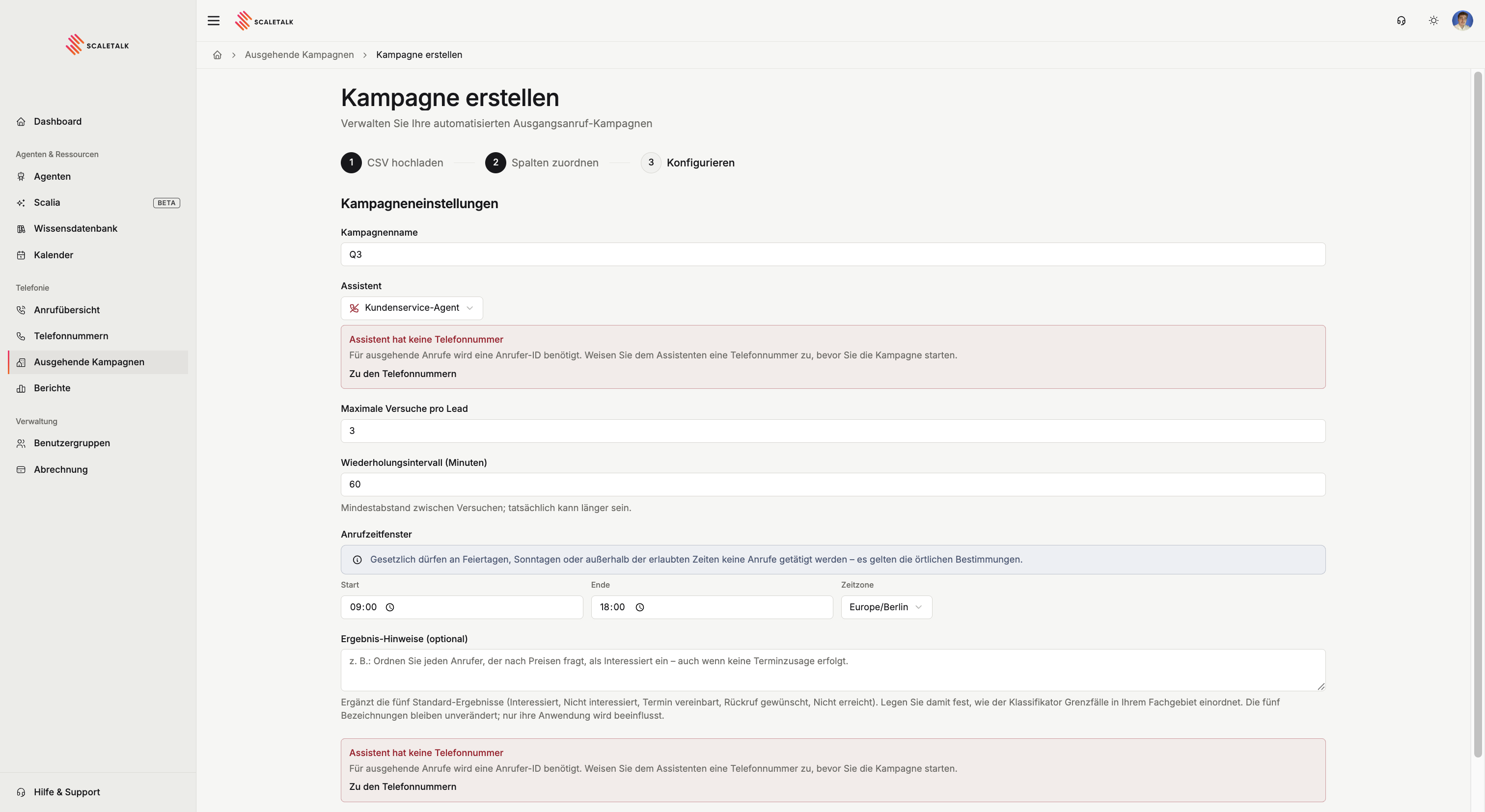
| Assistant has no phone number | No number is assigned to the agent as caller ID |
| This number cannot be used for outbound calls | The number is neither BYO nor covered by your own approved bundle |
Creating a campaign
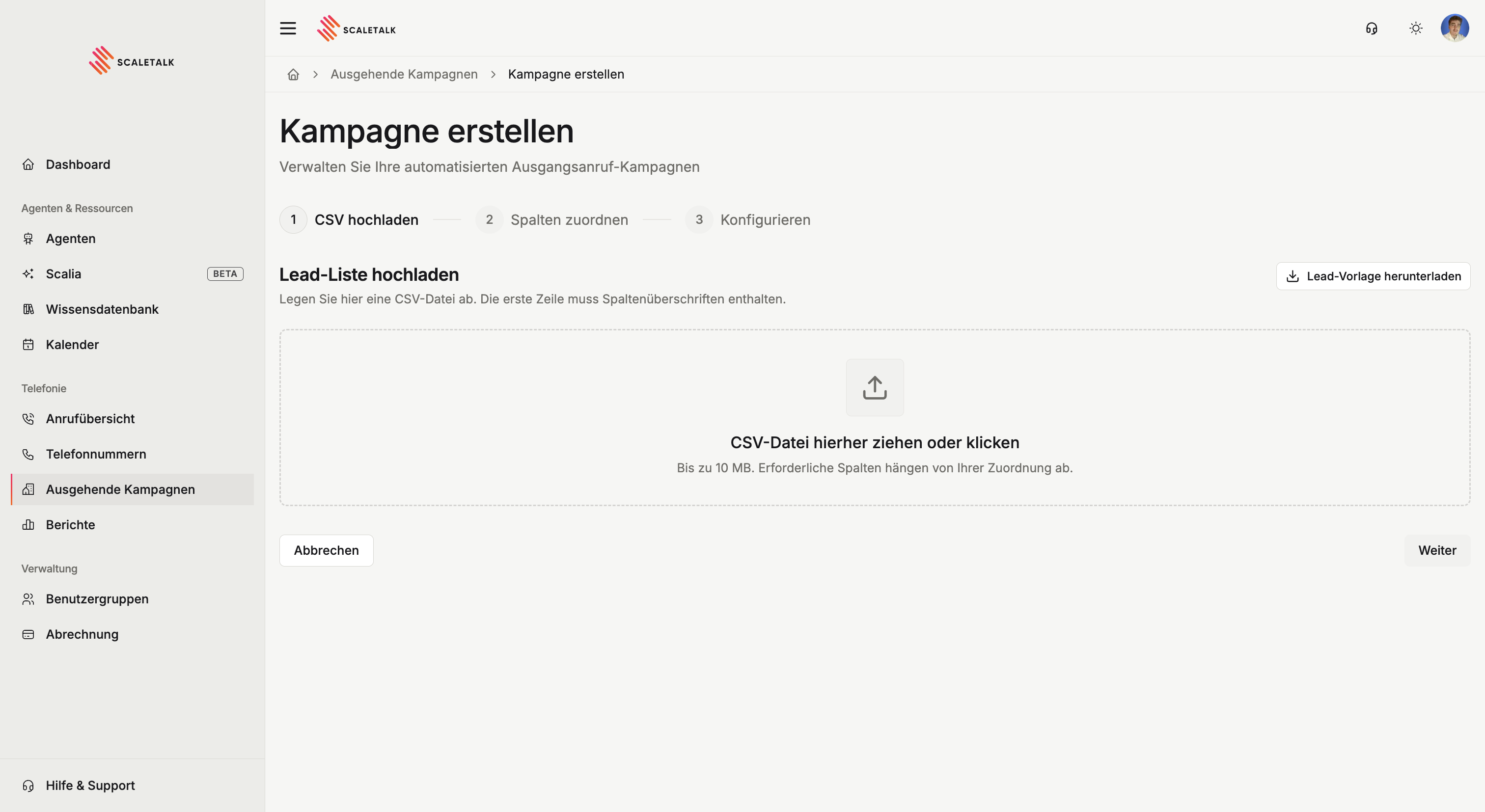
Upload contacts
Upload your CSV, up to 10 MB. The first row must contain column headers. ScaleTalk auto-detects the delimiter — comma, semicolon, tab or pipe — and you can correct it in the preview. European Excel exports usually use a semicolon.
Download lead template gives you a CSV with the expected columns.
Phone numbers belong in international format with a leading plus: +4930123456, not 030123456. Rows with no number, an invalid number, or a duplicate are skipped on creation.
Map columns
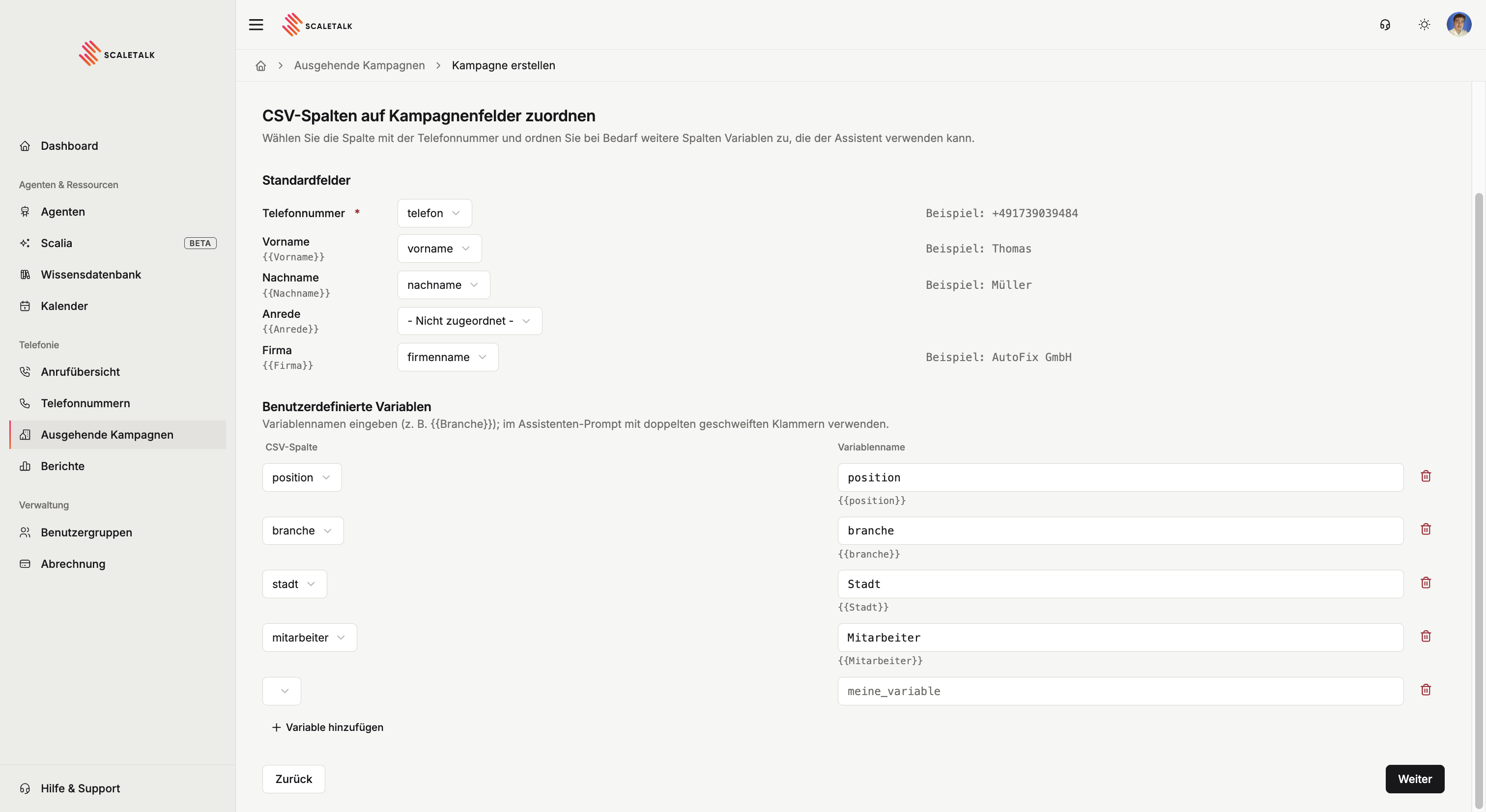
The phone number is required. There are standard fields for first name, last name, salutation and company; every other column becomes a freely named variable.
Every mapped column is available to the agent during the call as {{variable}} — in the greeting and in the prompt:
Hi {{firstName}}, I'm calling about {{company}}.That is the whole difference between a campaign that sounds like cold calling and one that sounds personal.
Configure the campaign
| Setting | Default | Meaning |
|---|---|---|
| Campaign name | — | For recognising it in the list |
| Assistant | — | The agent that runs the calls |
| Calls per hour | — | How fast the list is worked through |
| Max attempts per lead | 3 | How often an unreached contact is retried |
| Retry interval | 60 min | Minimum gap between attempts — it may take longer |
| Calling window | 09:00–18:00 | Daily window in which dialing is allowed |
| Timezone | Europe/Berlin | The timezone the window is evaluated in |
| Outcome notes | — | Optional instruction for outcome classification |
Launch and watch
Once launched the platform works through the list. The campaign view shows outcomes per day as a stacked chart, and below it a lead table with one column per attempt. Every call also lands in the call overview.
Settings stay editable while the campaign runs. Stop ends it for good — calls already in progress finish, no new ones start.

When dialing actually happens
The platform checks three things before every attempt. If one fails, the contact waits for the next opportunity.
- Not a Sunday.
- Not a German federal public holiday.
- Inside your calling window, in the timezone you set.
The block is built in, not optional
ScaleTalk blocks Sundays and nationwide public holidays automatically, even if your window would allow them. This follows the German nuisance-call rules under the UWG. Regional holidays are not included: in Bavaria or Baden-Württemberg you have to pause for state holidays yourself.
A campaign also pauses automatically when your prepaid balance runs out. The page then shows Paused — out of balance.
Reading the statuses
The campaign:
| Status | Meaning |
|---|---|
| Pending | Created, about to be picked up |
| Active | In the calling loop |
| Paused | Temporarily suspended |
| Completed | Every contact finally handled |
| Stopped | Manually ended, terminal |
A single contact:
| Status | Meaning |
|---|---|
| Pending | Waiting for the next attempt |
| In progress | Currently being called |
| Reached | The call connected |
| Not reached | All attempts used, nobody reached |
| Lost | The call happened and ended terminally, e.g. "not interested" |
| Failed | Configuration error — no further dialing |
Failed almost always means one of two things: the agent has no phone number, or the number is not cleared for outbound. Fix it in the prerequisites and the campaign can run again.
Outcomes
After every call ScaleTalk classifies the transcript into one of five outcomes:
Interested · Not interested · Appointment booked · Callback requested · Not reached
Outcome notes in the configuration steer the edge cases in your field:
Classify any caller who asks about pricing as "Interested",
even when no appointment is agreed.
The five labels themselves do not change, only how they are applied. Classification is the last step and can lag briefly — until then the lead shows Unclassified.
Legal framework
Outbound advertising calls are tightly regulated in Germany. The essentials:
- Consumers may only be called with prior explicit consent (§ 7 UWG), and you must be able to prove that consent.
- Businesses may be called on presumed interest, but the bar is narrower than it is often read.
- The number must not be withheld. Show a number you can actually be reached on.
- Objections must be recorded and honoured permanently.
Consent is on you
ScaleTalk enforces calling windows, Sundays and public holidays automatically, but it does not check whether consent exists for the contacts you upload. That responsibility stays with you as the sender. Campaigns to consumers without consent risk cease-and-desist letters and fines.
What good outbound agents do differently
- State the reason immediately. People decide in the first seconds whether to hang up.
- Keep it short. An outbound call is an interruption, not a meeting.
- One clear goal. One call, one question. Campaigns with three goals achieve none.
- Actually use the lead variables. An opening with a name and a reason sounds nothing like a generic one.
- Offer the exit. An agent that records an objection cleanly and ends the call protects you legally and saves minutes.