Dashboard
The landing page after sign-in, and how the platform is laid out.
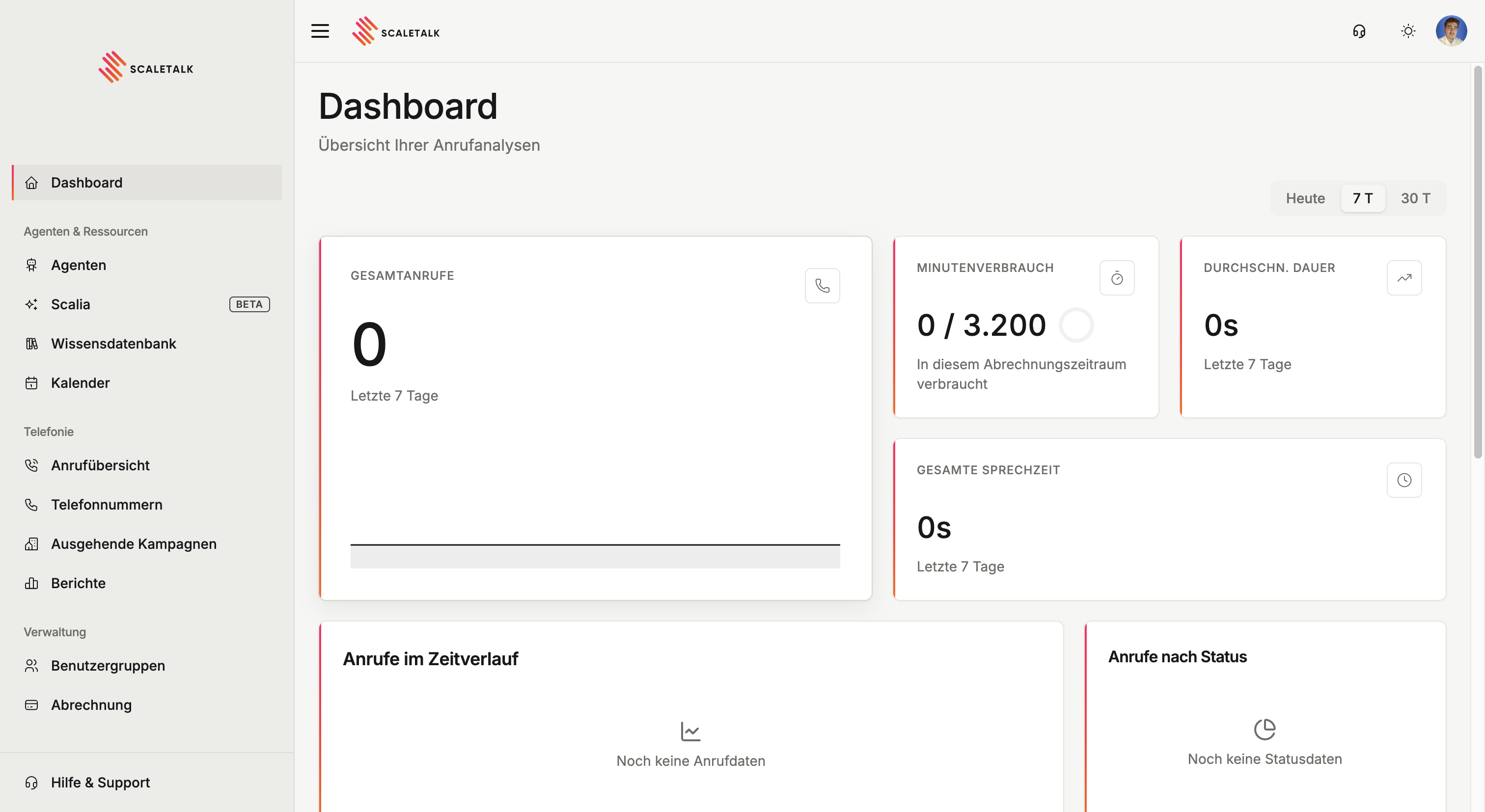
The dashboard is what you land on after signing in. At a glance it answers whether your agents are working: how many calls came in, how long they ran, and how much of your minute allowance is left.
Time range
Top right you switch between Today, 7 D and 30 D. The selection applies to every metric and chart on the page.
One exception: minute usage always refers to your current billing period, not the selected range.
Metrics
| Card | What it shows |
|---|---|
| Total calls | Number of calls in the selected range, with the change against the previous period and the share of answered calls |
| Minute usage | Minutes consumed against your allowance in the current billing period |
| Avg. duration | Mean call duration, also compared to the previous period |
| Total talk time | Sum of all conversation time in the selected range |
The percentages are comparisons, not targets
"vs. previous 7 days" compares against the immediately preceding period of equal length. With small numbers a single call moves the figure sharply. The comparison only becomes meaningful from a few dozen calls per period.
Charts
Calls over time shows the distribution across the selected range. It reveals peak hours and whether calls are piling up outside your opening hours.
Calls by status breaks down how conversations ended, for example completed or dropped. If drops accumulate, it is worth a look at the call overview.
Recent calls
The five most recent calls with number, agent, outcome, timestamp and duration. View all takes you to the full call overview with transcripts and recordings.
Unknown callers show as Unknown number. To see a name instead, set up a lookup under caller context.
Most dialled numbers
Shows which numbers carry the most conversations, with counts and average duration. Browser test conversations appear here as Web test, so they stay distinguishable from real calls.
Quick actions
Four direct routes into the most common tasks:
| Action | Goes to |
|---|---|
| New agent | Create an agent |
| Get a number | Buy or import a phone number |
| New campaign | Create an outbound campaign |
| View all calls | Call overview |
Navigation
The sidebar is split into three areas:
| Area | Contains |
|---|---|
| Agents & resources | Dashboard, Agents, Scalia, Knowledge base, Calendar |
| Telephony | Call overview, Phone numbers, Outbound campaigns |
| Administration | Reports, User groups, Billing |
At the very bottom sit Help & support and Settings.
Not everyone sees the same menu
Some entries depend on your plan and role. Outbound campaigns only appear from the Growth plan upwards, and user groups only when groups are enabled for your account.
Header
Your profile menu sits at the top right. From there you reach Settings, switch between your personal space and a user group, and sign out.