API
Drive ScaleTalk programmatically — create a key, make your first call, browse the interactive reference.
The public REST API drives ScaleTalk from your own systems: create and edit agents, read calls and transcripts, buy phone numbers, run campaigns, upload knowledge documents.
Anything you can do in the interface can be automated — from your own backend, from n8n, or straight out of an AI such as Claude.
Where to jump in
If you only care about the API integration: from 10:33 the video is specifically about connecting the ScaleTalk API to Claude. The video is in German.
Creating an API key
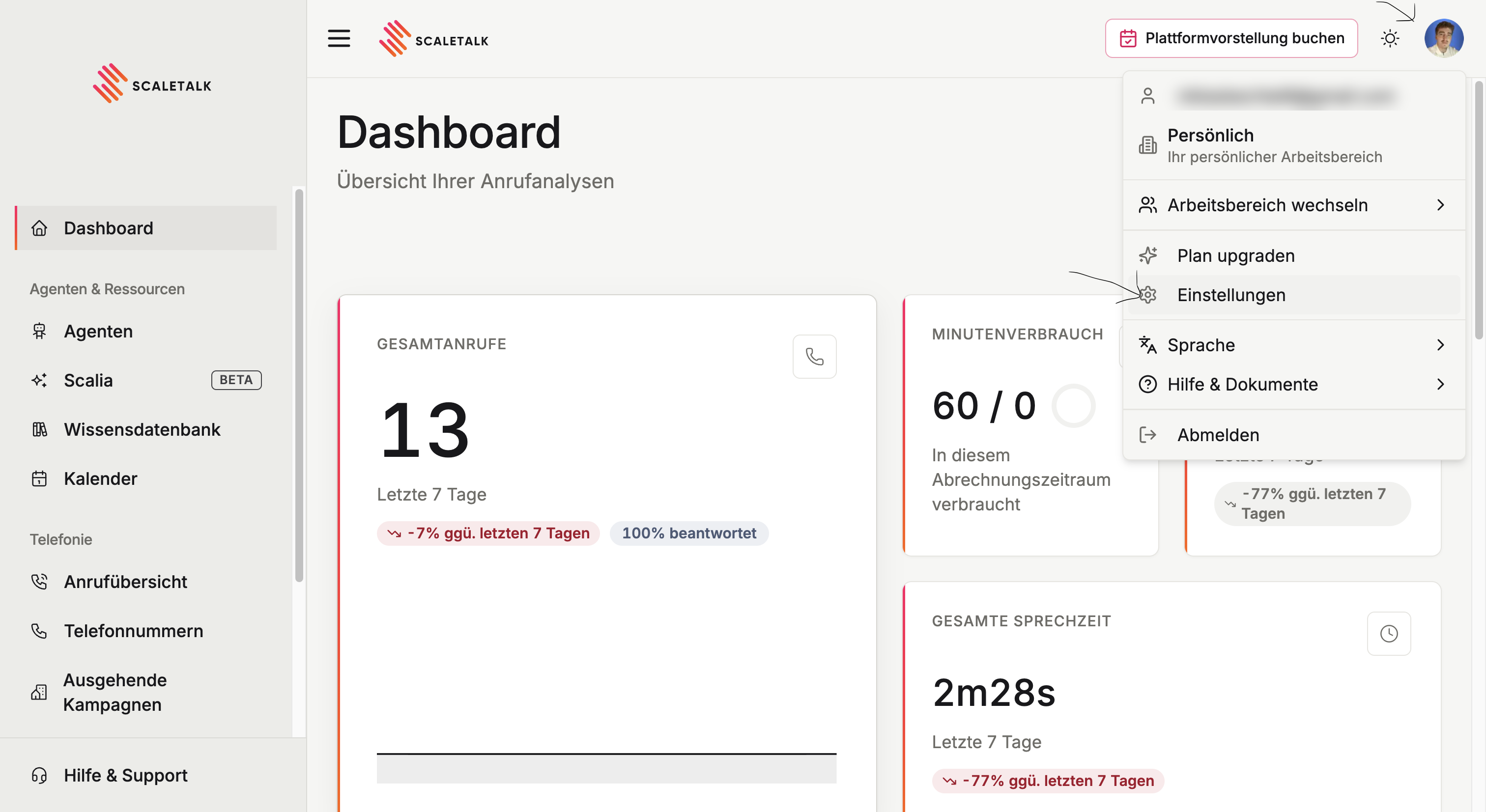
Open settings
Click your profile picture in the top right and choose Settings.
Create the key
Switch to the API keys tab and click Create API key. Give it a name, optionally an expiry date, and tick exactly the permissions this key needs.
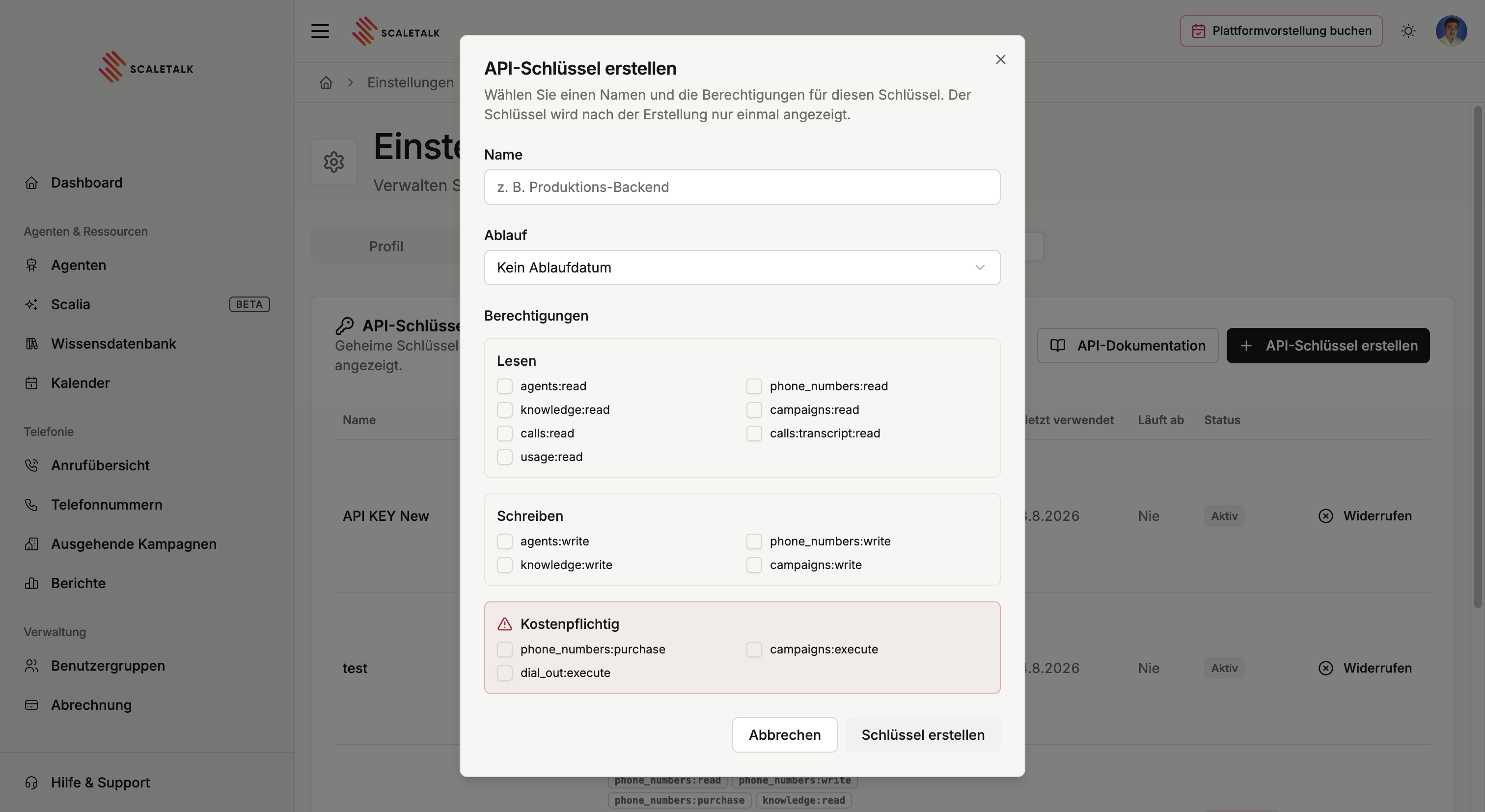
The key is shown exactly once
After creation you see the full key a single time. The overview then shows only a truncated remainder. Copy it straight into your password manager or into the target application.
How to scope permissions sensibly, revoke keys and clean up is covered under managing API keys.
Your first request
The key goes into the Authorization header as a bearer token:
curl https://app.scaletalk.ai/api/public/v1/me \
-H "Authorization: Bearer sk_live_..."| Base URL | https://app.scaletalk.ai/api/public/v1 |
| Staging | https://staging.scaletalk.ai/api/public/v1 |
| Authentication | Authorization: Bearer <your key> |
| Format | JSON in request and response |
GET /me is the best first call: it needs no special permission and tells you whether key and base URL are right.
Interactive reference
The complete, always-current reference lives in the platform itself — every field, example responses, and the option to try calls straight from the browser:
The machine-readable specification sits at https://app.scaletalk.ai/api/public/v1/openapi.json — handy if you want to generate a client.
For an overview of which endpoints exist at all, see Endpoints.
API access to someone else's account
Working as an agency for a client? You do not need a shared key: through developer workspaces a client can grant you time-limited access to their workspace. Ask support about it.