Capabilities
Extend your agent with Call Transfer, Calendar Tools, and API Request.
Capabilities
In the Capabilities tab, you enable your agent to perform actions beyond just speaking. You can configure integrations with calendars, external APIs, and call transfers.
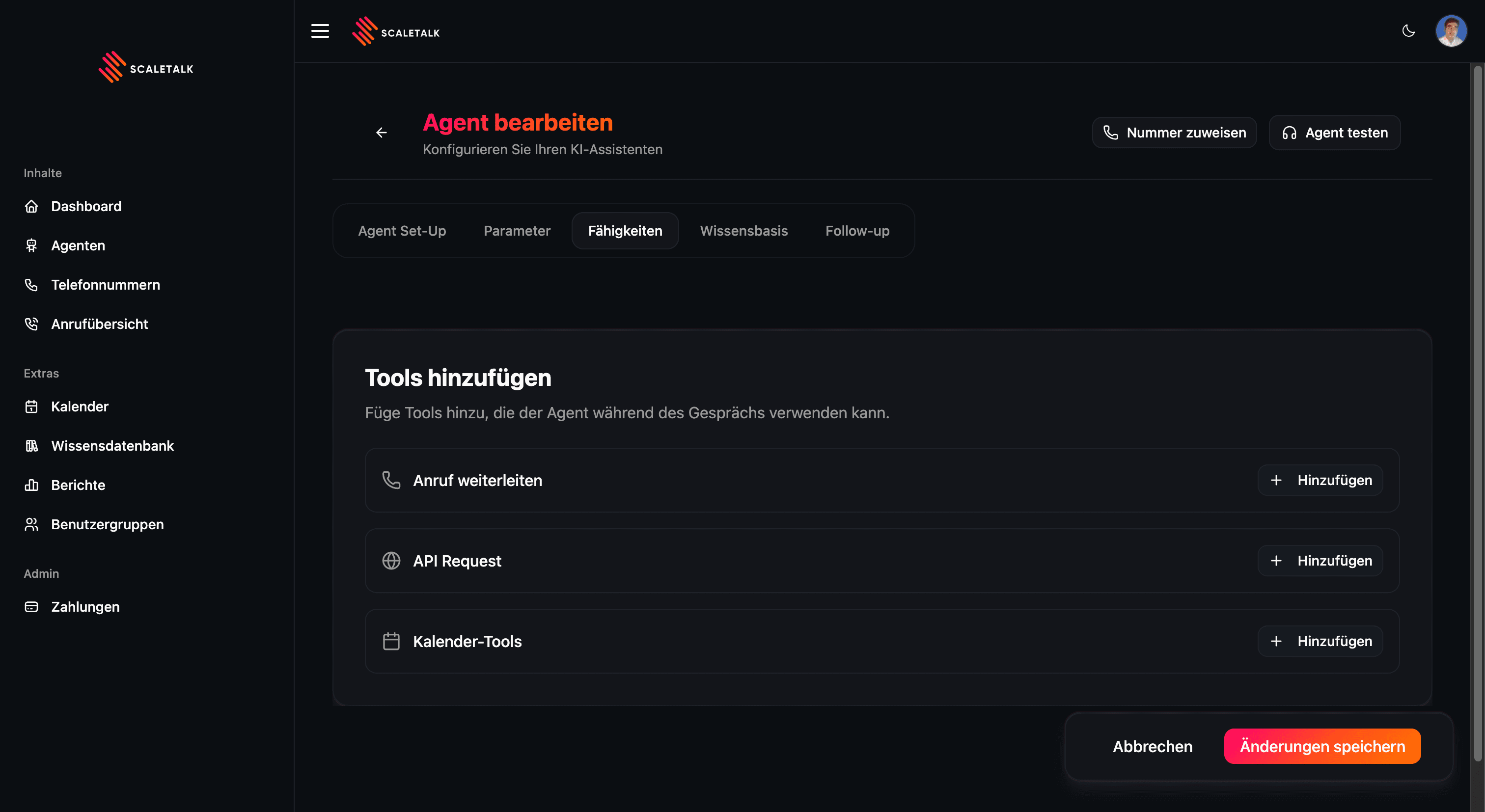
Available Capabilities
Call Transfer
Transfer calls to human team members or other phone numbers.
Calendar Tools
Check availability and book appointments directly in the calendar.
API Request
Trigger custom workflows via HTTP request to your systems.
Managing Capabilities
You can add multiple capabilities to a single agent. The agent intelligently decides which capability to use based on the caller's request.
Adding a Capability
- Go to your agent and open the Capabilities tab
- Click + Add next to the desired tool
- Choose the desired type (Call Transfer, Calendar Tools, or API Request)
- Configure the details
- Save the configuration
Multiple Capabilities
You can combine any number of capabilities. For example, an agent can simultaneously book appointments, transfer calls, and check order status via an API.
Referencing Tools in the Prompt
Configuring a tool alone is not enough — you must also tell the agent in the system prompt when and how to use the tool. Without a clear instruction in the prompt, the agent may ignore the tool or invoke it at the wrong time.
Always mention in the prompt:
- The exact tool name (e.g., "Calendar Tools", "Emergency Transfer")
- When the tool should be called (e.g., "When the customer wants to book an appointment")
- What happens next (e.g., "Confirm the appointment to the caller with date and time")
Example:
### If the customer wants to book an appointment:
1. Ask which service is desired.
2. Search for the next available slot via the Calendar Tools.
3. Offer the slot AND mention the price.
4. If customer says YES: Book the appointment via the Calendar Tools.

### If the customer wants to speak with a team member:
- Transfer via the "Mr. Mueller" transfer to +491709876543.
A detailed guide can be found in the Prompting Guide.