Call Transfer
Configure call transfer to human team members or other numbers.
Call Transfer
With Call Transfer, your agent can forward the call to a human team member or another phone number when the situation requires it. You can also transfer to another AI agent — e.g., a specialized agent for appointment booking or technical support.
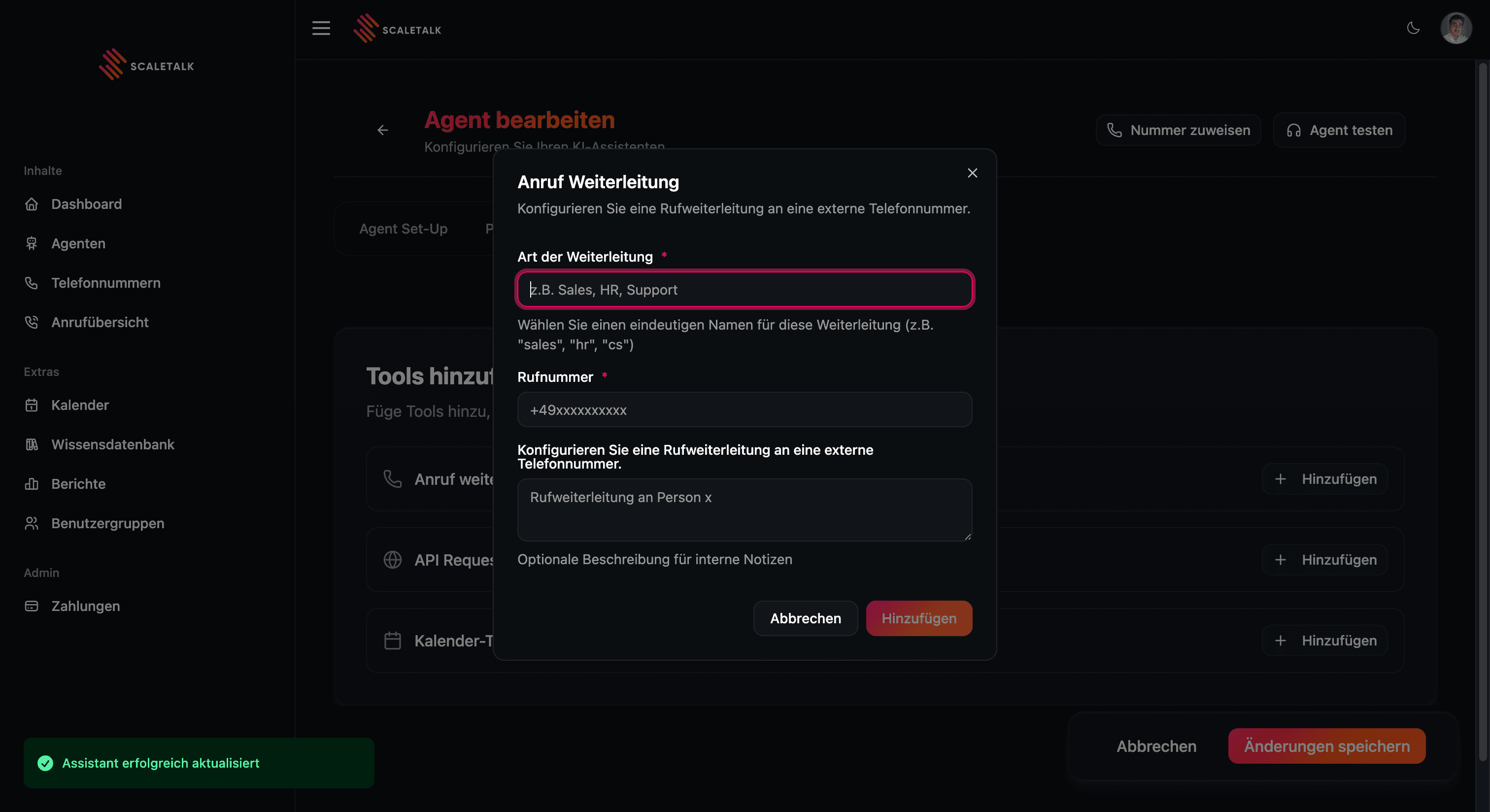
Configuration
Setting Up a Transfer
- Open the Capabilities tab of your agent
- Click + Add next to Call Transfer
- Enter the target phone number
- Define the condition for the transfer
- Save the configuration
Target Phone Number
The phone number to transfer to. Use the E.164 format (no spaces):
+491701234567(Germany, mobile)+4962031234567(Germany, landline)
Condition
Describe in natural language when the transfer should occur. The agent automatically recognizes when the condition is met.
Examples:
- "The caller wants to speak with a supervisor"
- "The caller has a complaint that the agent cannot resolve"
- "The caller asks about pricing information"
- "The caller wants a personal consultation"
Multiple Transfer Targets
You can configure multiple call transfers with different conditions. The agent selects the appropriate target based on the conversation context.
| Condition | Target Phone Number |
|---|---|
| Technical support | +496203111222 |
| Sales | +496203111333 |
| Supervisor requested | +491701234567 |
Best Practices
- Clear conditions: Formulate unambiguous transfer conditions
- Inform the caller: The agent should tell the caller that they are being transferred
- Fallback: Configure a general transfer for unforeseen situations
- Check availability: Make sure the target numbers are staffed
Note
The transfer ends the AI call and connects the caller directly with the target number. The agent is no longer involved in the conversation after that.
Referencing in the Prompt
The tool configuration alone is not enough — you must define in the system prompt when the agent should use which transfer. Always mention the exact name of the transfer and the target number.
Example:
### If urgent emergency:
- Transfer immediately via the "Emergency" transfer
  to +491601234567.
- Say beforehand: "That sounds urgent, I'll connect you right away."

### If the caller wants to speak with a team member:
- Transfer via the "Mr. Mueller" transfer
  to +491709876543.

### If the transfer fails:
- Apologize and collect the data instead.
Define a Fallback
ALWAYS define in the prompt what happens if the transfer fails. Without a fallback, the agent gets stuck.
More information can be found in the Prompting Guide.
Pro Tip: Transfer to Another AI Agent
You can also use call transfer to forward to another ScaleTalk AI agent. This lets you build an entire team of specialized agents — e.g., a reception agent that routes to an appointment booking agent or a support agent depending on the concern.
Simply enter the phone number linked to the target agent. The caller is then seamlessly connected to the other AI agent.