Test the agent
Talk to the agent in the browser before it gets a phone number.
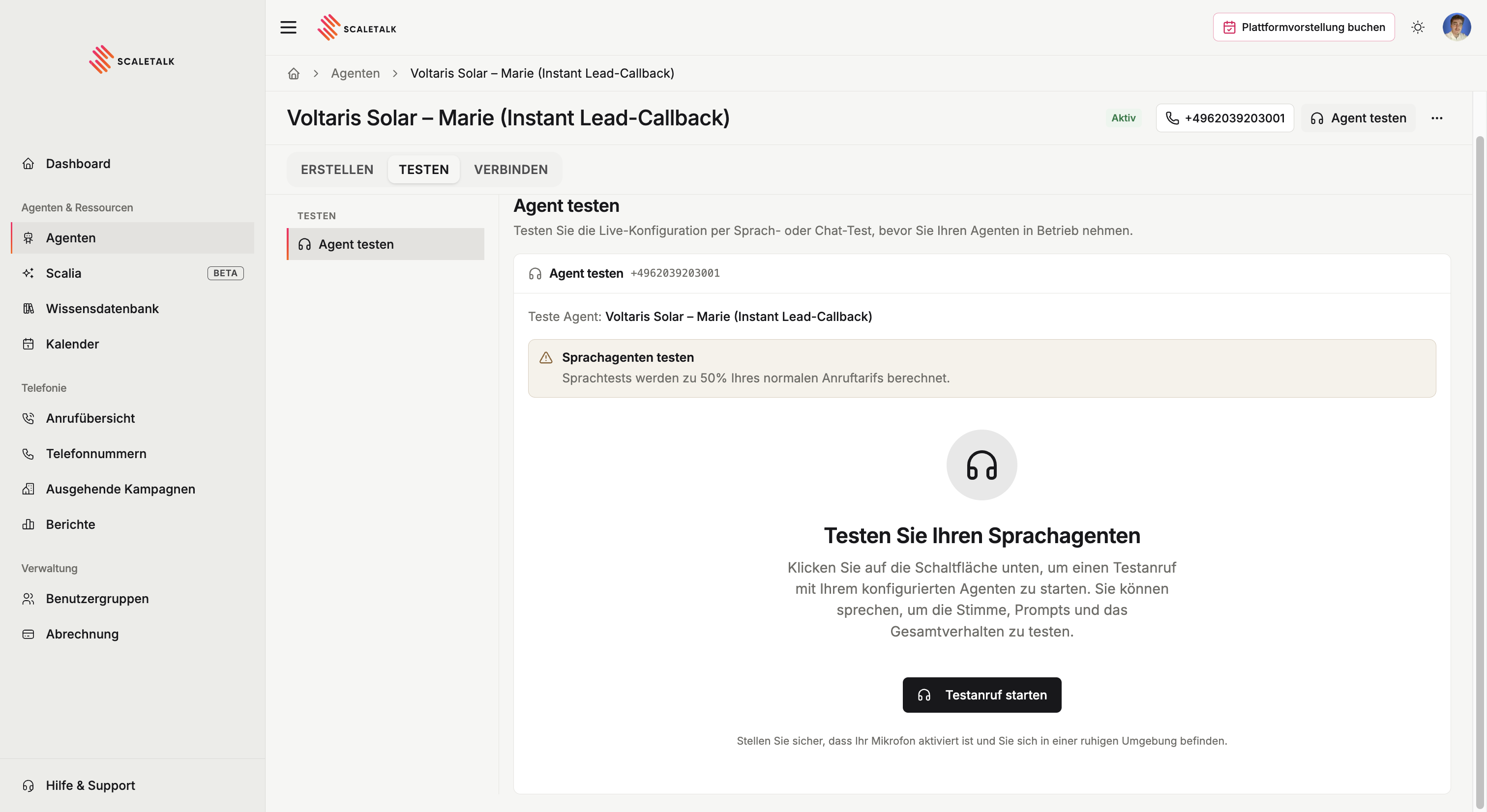
The Test tab is the rehearsal stage. You talk to the agent straight from the browser, with no phone number involved and no real call created.
Why always test first
An agent that reads well in the prompt often behaves differently on a call. A test shows you in two minutes what a live call would otherwise teach you the hard way:
- whether the greeting sounds natural at speaking pace
- whether the agent asks the right questions instead of steering the wrong way
- whether names and jargon are understood and pronounced correctly
- whether capabilities fire at the right moment
- whether variable extraction captures the values you expect
Running a test conversation
Click Test agent at the top right, or switch to the Test tab. The browser asks for microphone access, then the conversation starts with the configured opening line.
Talk to the agent like a real caller would. The most revealing cases are the awkward ones: callers who are vague, change topic, interrupt, or ask something the prompt never anticipated.
Test the ending too
Many agents fail at the close rather than the opening. Run every test conversation through to hanging up, then check in the call overview that the transcript and extracted variables are correct.
How it differs from a real call
The browser test runs over your computer's internet connection, a real call over the phone network. You can hear the difference:
| Browser test | Phone call | |
|---|---|---|
| Audio quality | Wideband, very clear | Narrowband, duller |
| Interference | Almost none | Street noise, speakerphone, dead spots |
| Speech recognition | Easier | More demanding |
So: the browser test settles the content. Speech recognition and background audio get tuned on a real phone call, after you have assigned a number.